As a supplier of endoscope monitors, I am often asked about the input/output interfaces of these essential medical devices. Understanding these interfaces is crucial for both medical professionals and those involved in the procurement of endoscope monitoring systems. In this blog post, I will delve into the details of the input/output interfaces of an endoscope monitor, explaining their functions, types, and importance in the medical field.


Input Interfaces
The input interfaces of an endoscope monitor are the channels through which the monitor receives signals from various sources, such as endoscopes, cameras, and other medical devices. These interfaces play a vital role in ensuring that high – quality images and videos from the endoscope can be accurately displayed on the monitor.
Video Inputs
One of the most common input interfaces is the video input. There are several types of video input connectors used in endoscope monitors:
- HDMI (High – Definition Multimedia Interface): HDMI is a widely used interface in modern endoscope monitors. It can transmit high – definition video and audio signals simultaneously, providing clear and sharp images. Many endoscopes and Endoscope Image Processor are equipped with HDMI outputs, allowing for seamless connection to the monitor. The high bandwidth of HDMI ensures that even complex endoscopic images with fine details can be displayed without loss of quality.
- DVI (Digital Visual Interface): DVI is another digital interface that was popular before the widespread adoption of HDMI. It is mainly used for transmitting digital video signals. Although it does not support audio transmission like HDMI, it still provides high – quality image display. Some older endoscope systems may still use DVI outputs, and endoscope monitors with DVI inputs can accommodate these devices.
- VGA (Video Graphics Array): VGA is an analog interface that has been around for a long time. It is less common in modern endoscope monitors but may still be found in some older or budget – friendly models. VGA can transmit video signals, but the image quality is generally lower compared to digital interfaces like HDMI and DVI. However, it can still be useful for basic endoscopic imaging applications where high – definition is not a strict requirement.
Other Inputs
In addition to video inputs, endoscope monitors may also have other types of inputs:
- Audio Inputs: Some endoscope monitors are equipped with audio inputs to receive audio signals from the endoscope system. This can be useful in situations where the endoscope is equipped with a microphone for recording patient – doctor conversations or other relevant audio information during the endoscopic procedure.
- USB Inputs: USB inputs allow the monitor to connect to external storage devices, such as USB flash drives or external hard drives. This enables medical professionals to save endoscopic images and videos directly to the storage device for later review, analysis, or sharing. Some monitors also support the connection of USB – enabled cameras or other accessories through the USB input.
Output Interfaces
The output interfaces of an endoscope monitor are used to send signals to other devices, such as printers, external displays, or recording devices. These interfaces enhance the functionality of the endoscope monitor and allow for the dissemination and preservation of endoscopic data.
Video Outputs
Similar to the input side, video outputs are an important part of the endoscope monitor’s output interfaces:
- HDMI Output: An HDMI output on the endoscope monitor allows it to connect to external high – definition displays, such as large – screen TVs or other monitors. This can be useful in a teaching or consultation setting, where multiple people need to view the endoscopic images simultaneously. The high – quality video signal transmitted through HDMI ensures that the images are clear and detailed on the external display.
- DVI Output: DVI outputs can also be used to connect the endoscope monitor to external displays. They provide a digital video connection, similar to HDMI, but without audio support. This can be a suitable option for connecting to older displays that do not have HDMI inputs.
Other Outputs
- Print Outputs: Some endoscope monitors are equipped with print outputs, such as USB or Ethernet ports, which can be used to connect to a printer. This allows medical professionals to print out endoscopic images immediately after the procedure for patient records or further analysis. High – resolution printers can produce detailed hard – copies of the endoscopic images, which can be useful for documentation and communication with other medical staff.
- Network Outputs: Ethernet ports are commonly found on endoscope monitors, enabling them to connect to a local area network (LAN) or a hospital information system (HIS). This allows for the transfer of endoscopic images and patient data to a central server for storage, retrieval, and sharing. Network connectivity also enables remote access to the endoscopic data, which can be beneficial for telemedicine applications, where experts can review the images from a different location.
Importance of Input/Output Interfaces
The input/output interfaces of an endoscope monitor are of great importance in the medical field:
- Compatibility: A wide range of input/output interfaces ensures that the endoscope monitor can be compatible with different types of endoscopes, cameras, and other medical devices. This flexibility allows medical facilities to upgrade or replace individual components of their endoscopic systems without having to replace the entire monitor. For example, if a new endoscope with an HDMI output is purchased, a monitor with an HDMI input can easily accommodate it.
- Data Sharing and Collaboration: The output interfaces enable the sharing of endoscopic data with other medical professionals, both within the same facility and remotely. This is crucial for multi – disciplinary consultations, where experts from different departments can review the images and provide their opinions. In addition, the ability to connect to a network and share data with a hospital information system improves the efficiency of patient care and record – keeping.
- Documentation and Record – Keeping: The input/output interfaces allow for the easy recording and printing of endoscopic images and videos. This is essential for maintaining accurate patient records, which can be used for follow – up appointments, research, and legal purposes. The ability to save and print high – quality images ensures that the details of the endoscopic procedure are accurately documented.
Our Product Offerings
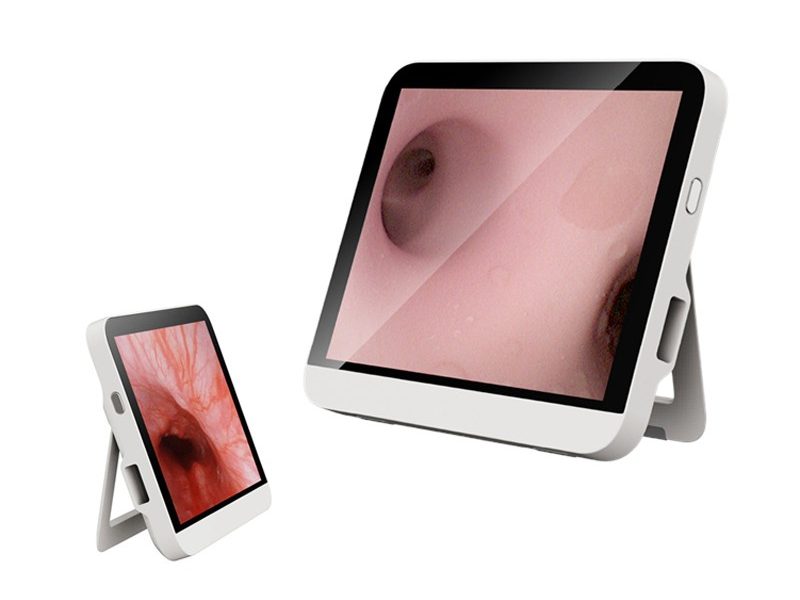
As an endoscope monitor supplier, we offer a wide range of monitors with diverse input/output interfaces to meet the needs of different medical applications. Our Medical Endoscope Monitor series is equipped with the latest HDMI, DVI, and VGA inputs to ensure compatibility with various endoscope systems. The monitors also feature HDMI and DVI outputs for easy connection to external displays, as well as USB and Ethernet ports for data storage and network connectivity.
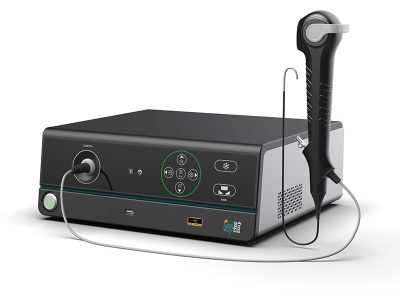
In addition, we also provide Portable Image Processor With Build – in Battery that can be used in conjunction with our endoscope monitors. These processors are designed to enhance the image quality and provide additional features such as image processing and storage. They are equipped with a variety of input/output interfaces to ensure seamless integration with our monitors and other medical devices.
Contact Us for Procurement
If you are interested in our endoscope monitors or related products, we invite you to contact us for procurement discussions. Our team of experts is ready to assist you in selecting the right products for your specific needs and to provide you with detailed information about our product features, pricing, and after – sales support. Whether you are a hospital, a clinic, or a medical research institution, we are committed to providing you with high – quality endoscope monitoring solutions.
References
- "Medical Endoscopy: Principles and Practice" by Peter D. Siersema, et al.
- "Handbook of Endoscopic Imaging" by Jayant P. Shenoy, et al.

 Blog
Blog
 Blog
Blog
 Blog
Blog